
Hackers often target WordPress admin logins. Weak Passwords are easy prey. You need to use strong passwords.
This post guides users for 2FA Code in WordPress without using a Plugin.
Table of Contents
We help users secure their systems without a Plugin. The custom code will solve your problem. Use it directly with a small PHP code inside your theme’s functions.php.Use Two-Factor Authentication (2FA) through the code.
The post is designed to guide users with a fully functional Google Authenticator (TOTP) implementation that works with the /wp-admin login, completely without any plugin.
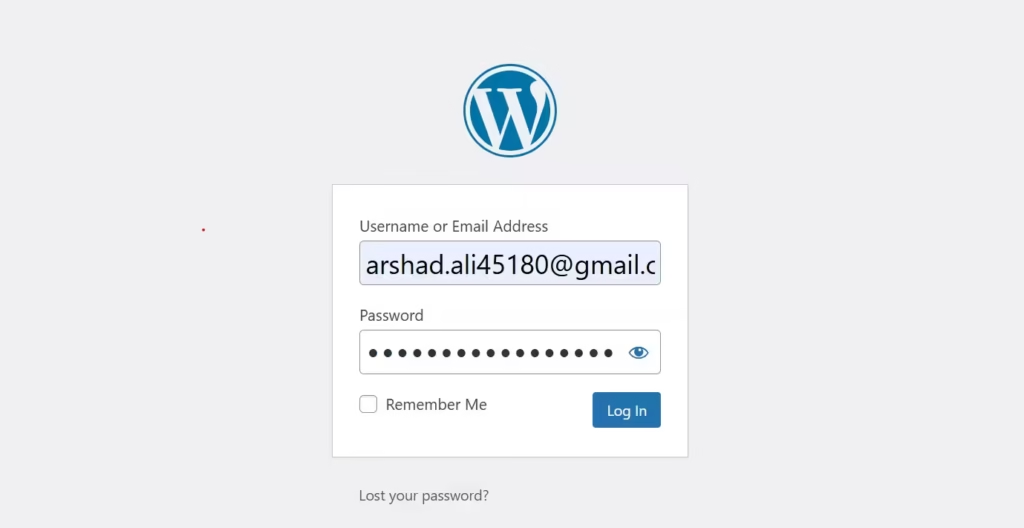
The Best Features of 2FA Code in WordPress
- It works as default
/wp-adminlogin. - The 2FA code is compatible with Google Authenticator, Authy, Microsoft Authenticator
- It uses real UTC time (via worldtimeapi.org). You get no clock mismatch errors.
- It includes backup codes.
- Supports sdmin-only debug & regenerate tools
- 100% open-source and plugin-free
Step 1 — Add This Code to functions.php
Copy and paste the entire code below into your active theme’s functions.php file.
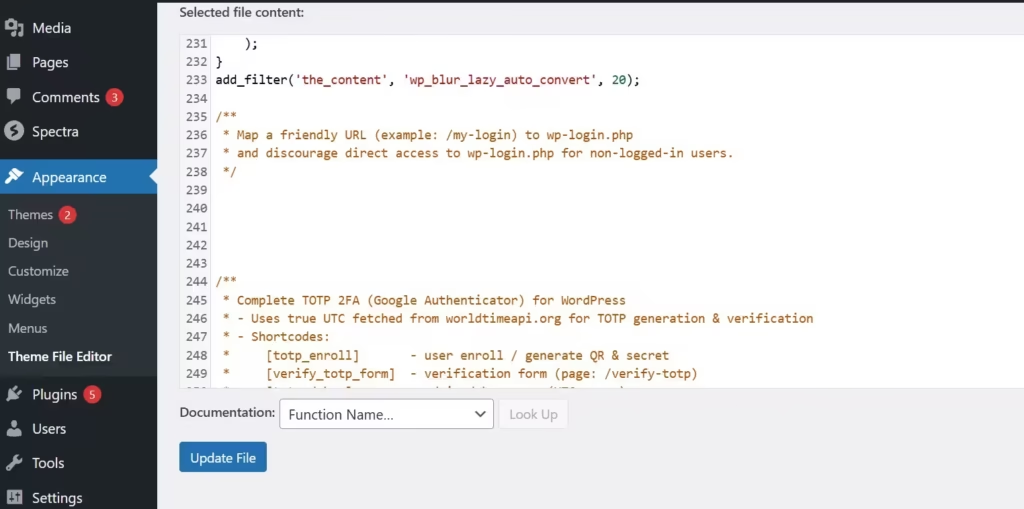
Paste this code into the function.php file.
/**
 * Complete TOTP 2FA (Google Authenticator) for WordPress
 * Plugin-free | True UTC Sync | Backup Codes
 */

if (!function_exists('wp_get_true_utc_time')) {
    function wp_get_true_utc_time() {
        $cached = get_transient('wp_true_utc_time');
        if ($cached) return (int)$cached;
        $response = wp_remote_get('https://worldtimeapi.org/api/timezone/Etc/UTC', ['timeout'=>5,'sslverify'=>true]);
        if (is_wp_error($response)) return time();
        $data = json_decode(wp_remote_retrieve_body($response), true);
        if (!empty($data['unixtime'])) {
            set_transient('wp_true_utc_time', (int)$data['unixtime'], 25);
            return (int)$data['unixtime'];
        }
        return time();
    }
}

function wp_totp_base32_decode($b32) {
    $alphabet = 'ABCDEFGHIJKLMNOPQRSTUVWXYZ234567';
    $b32 = strtoupper($b32);
    $b32 = preg_replace('/[^A-Z2-7]/', '', $b32);
    $bits = ''; $out = '';
    for ($i = 0; $i < strlen($b32); $i++) {
        $val = strpos($alphabet, $b32[$i]);
        $bits .= str_pad(decbin($val), 5, '0', STR_PAD_LEFT);
    }
    foreach (str_split($bits, 8) as $byte) {
        if (strlen($byte) === 8) $out .= chr(bindec($byte));
    }
    return $out;
}

function wp_totp_hotp($secret_bin, $counter) {
    $counter_bytes = pack('N*', 0) . pack('N*', $counter);
    $hmac = hash_hmac('sha1', $counter_bytes, $secret_bin, true);
    $offset = ord($hmac[19]) & 0x0F;
    $binary = (ord($hmac[$offset]) & 0x7f) << 24 |
              (ord($hmac[$offset+1]) & 0xff) << 16 |
              (ord($hmac[$offset+2]) & 0xff) << 8 |
              (ord($hmac[$offset+3]) & 0xff);
    return str_pad($binary % 1000000, 6, '0', STR_PAD_LEFT);
}

function wp_totp_generate($secret, $step=30, $time=null){
    if(is_null($time)) $time = wp_get_true_utc_time();
    $counter = floor($time/$step);
    return wp_totp_hotp(wp_totp_base32_decode($secret), $counter);
}

function wp_totp_verify($secret, $code, $window=2, $step=30){
    $time = wp_get_true_utc_time();
    for($i=-$window;$i<=$window;$i++){
        if(hash_equals(wp_totp_generate($secret,$step,$time+($i*$step)),$code)) return true;
    }
    return false;
}

function wp_totp_generate_secret($len=16){
    $c='ABCDEFGHIJKLMNOPQRSTUVWXYZ234567'; $s='';
    for($i=0;$i<$len;$i++) $s.=$c[random_int(0,strlen($c)-1)];
    return $s;
}

/* [totp_enroll] shortcode */
add_shortcode('totp_enroll',function(){
    if(!is_user_logged_in()) return '<p>Please log in to set up 2FA.</p>';
    $uid=get_current_user_id(); $secret=get_user_meta($uid,'totp_secret',true);
    if(isset($_POST['totp_action']) && $_POST['totp_action']==='generate'){
        $secret=wp_totp_generate_secret();
        update_user_meta($uid,'totp_secret',$secret);
        $backup=[]; for($i=0;$i<6;$i++) $backup[]=strtoupper(bin2hex(random_bytes(3)));
        update_user_meta($uid,'totp_backup_codes',$backup);
    }
    if(empty($secret))
        return '<form method="post"><input type="hidden" name="totp_action" value="generate"><button>Generate Secret & QR</button></form>';

    $u=wp_get_current_user(); $label=get_bloginfo('name').':'.$u->user_login; $issuer=get_bloginfo('name');
    $otpauth=sprintf('otpauth://totp/%s?secret=%s&issuer=%s&algorithm=SHA1&digits=6&period=30',$label,$secret,rawurlencode($issuer));
    $qr='https://chart.googleapis.com/chart?chs=220x220&cht=qr&chl='.urlencode($otpauth);
    $html="<h3>Scan this QR in Google Authenticator</h3><img src='".esc_url($qr)."' alt='QR'><p>Manual Key: <b>$secret</b></p>";
    $codes=get_user_meta($uid,'totp_backup_codes',true);
    if($codes){$html.='<h4>Backup Codes</h4><ul>';foreach($codes as $c)$html.='<li>'.$c.'</li>'; $html.='</ul>';}
    return $html.'<form method="post" onsubmit="return confirm(\'Regenerate?\');"><input type="hidden" name="totp_action" value="generate"><button>Regenerate</button></form>';
});

/* authenticate redirect */
add_filter('authenticate',function($u,$name,$pass){
    if(is_wp_error($u)||!($u instanceof WP_User)) return $u;
    $id=$u->ID; $s=get_user_meta($id,'totp_secret',true);
    if(empty($s)) return $u;
    set_transient('wp_totp_user_'.$id,$id,600);
    $t=wp_hash($id.'|'.$s,'totp');
    wp_safe_redirect(site_url('/verify-totp?u='.$id.'&t='.rawurlencode($t))); exit;
},30,3);

/* [verify_totp_form] shortcode */
add_shortcode('verify_totp_form',function(){
    $msg=''; $uid=false;
    if(isset($_GET['u'],$_GET['t'])){
        $i=intval($_GET['u']); $tok=sanitize_text_field($_GET['t']);
        $s=get_user_meta($i,'totp_secret',true);
        if($s&&hash_equals(wp_hash($i.'|'.$s,'totp'),$tok)&&get_transient('wp_totp_user_'.$i)) $uid=$i;
    }
    if(isset($_POST['totp_code'],$_POST['user_id'])){
        $i=intval($_POST['user_id']); $c=preg_replace('/\D/','',$_POST['totp_code']);
        $s=get_user_meta($i,'totp_secret',true); $ok=false;
        if($s&&preg_match('/^\d{6}$/',$c)&&wp_totp_verify($s,$c,2)) $ok=true;
        if(!$ok){$b=get_user_meta($i,'totp_backup_codes',true);
            if(is_array($b)&&in_array($c,$b)){update_user_meta($i,'totp_backup_codes',array_diff($b,[$c]));$ok=true;}
        }
        if($ok){wp_set_current_user($i);wp_set_auth_cookie($i);delete_transient('wp_totp_user_'.$i);wp_safe_redirect(admin_url());exit;}
        $msg.='<p style="color:red;">Invalid code</p>'; $uid=$i;
    }
    if(!$uid) return '<p>Session expired. <a href="'.wp_login_url().'">Login again</a></p>';
    return $msg.'<form method="post"><p>Enter 6-digit code:</p><input name="totp_code" maxlength="6" required><input type="hidden" name="user_id" value="'.$uid.'"><button>Verify</button></form>';
});

/* [totp_debug] shortcode */
add_shortcode('totp_debug',function(){
    if(!current_user_can('manage_options')) return '';
    $u=wp_get_current_user(); $s=get_user_meta($u->ID,'totp_secret',true);
    if(!$s) return '<p>No secret set.</p>';
    $srv=time(); $srvh=date('Y-m-d H:i:s T',$srv);
    $utc=wp_get_true_utc_time(); $utch=gmdate('Y-m-d H:i:s \U\T\C',$utc);
    $delta=$srv-$utc; $sign=$delta>0?"+$delta s (ahead)":($delta<0?"$delta s (behind)":"0 s");
    $totp=wp_totp_generate($s);
    return "<h3>TOTP Debug</h3><p>Secret: <code>$s</code></p><p>Server: $srvh<br>True UTC: $utch<br>Δ: $sign</p><p>Server TOTP: <b>$totp</b></p>";
});

/* admin profile info */
add_action('show_user_profile',function($u){
    $s=get_user_meta($u->ID,'totp_secret',true);
    echo '<h3>TOTP 2FA</h3>';
    if($s)echo '<p>✅ Enabled. Manage at <a href="'.site_url('/totp-enroll').'">/totp-enroll</a></p>';
    else echo '<p>❌ Not set. <a href="'.site_url('/totp-enroll').'">Enable now</a></p>';
});

/* admin regen shortcut */
add_action('init',function(){
    if(current_user_can('manage_options')&&isset($_GET['regen_totp'])){
        $id=get_current_user_id(); $s=wp_totp_generate_secret();
        update_user_meta($id,'totp_secret',$s); wp_die("<h2>✅ New secret generated</h2><p>Secret: <code>$s</code></p>");
    }
});
Step 2 — Create These Pages for 2FA Code in WordPress
| Page URL | Page Title | Content |
|---|---|---|
/totp-enroll | TOTP Enroll | [totp_enroll] |
/verify-totp | Verify Login Code | [verify_totp_form] |
/totp-debug | TOTP Debug | [totp_debug] |
/totp-compare (optional) | Compare Codes | [totp_compare] |
Step 3 — Enrol 2FA Code in WordPress
- Log in to your WordPress dashboard.
- Visit /totp-enroll.
- Click Generate Secret & QR.
- Scan the QR code in your Google Authenticator app (or add manually).
- Save your backup codes.
Step 4 — Test the Login of 2FA Code in WordPress
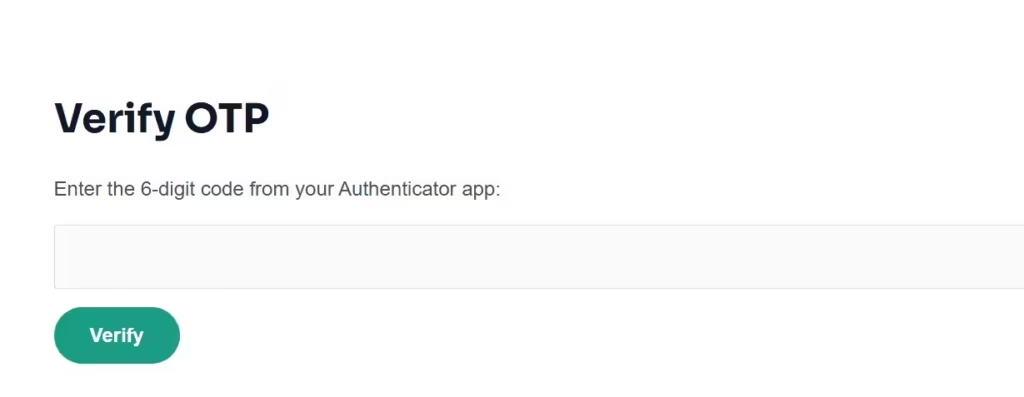
- Log out.
- Go to
/wp-adminand log in with your password. - You’ll be redirected to
/verify-totp. - Enter the 6-digit code from your Authenticator app. You are logged in securely.
Step 5 — Verify Server & UTC Time
Visit /totp-debug (admin only)
You’ll see:
- Server local time
- True UTC time (fetched from API)
- Delta difference
- Server TOTP (should match your app code)
Optional & Special Admin Shortcuts
- Regenerate secret manually:
https://yourdomain.com/?regen_totp=1 - Compare app code with server:
https://yourdomain.com/totp-compare
Conclusion
This way, by going through these steps, we come to successfully implement the 2FA Code in WordPress without a Plugin.
This lightweight code adds true time-based OTP (TOTP) security and ensures that even if your web host’s clock is off. Your login verification still works perfectly.
Kindly share your queries and suggestions in the comment section. We promote open discussions and idea sharing. Kindly raise your queries if any regarding the content.
Thank You.
You may also need this
https://withoutplugin.com/contact-form-in-wordpress-without-plugin