
If your WordPress website is dedicated to long category pages, archive pages, or homepage lists, you must encounter one issue, and that is endless scrolling. It negatively impacts your overall SEO results. Readers get bored, and the bounce rate goes higher.
When you face such issues, the Ajax Load More Posts WordPress technique becomes useful. It loads posts dynamically without refreshing the whole page, improving user experience and performance. And the best part is that you can do this without installing a plugin.
There is so much online material available on this topic, but either highly complicated or incomplete.
Here, this post becomes successful. We provide you with the no-plugin Ajax load more posts WordPress solution using just PHP, JS, and basic templating. This way the site becomes easier to load, faster, and lightweight.
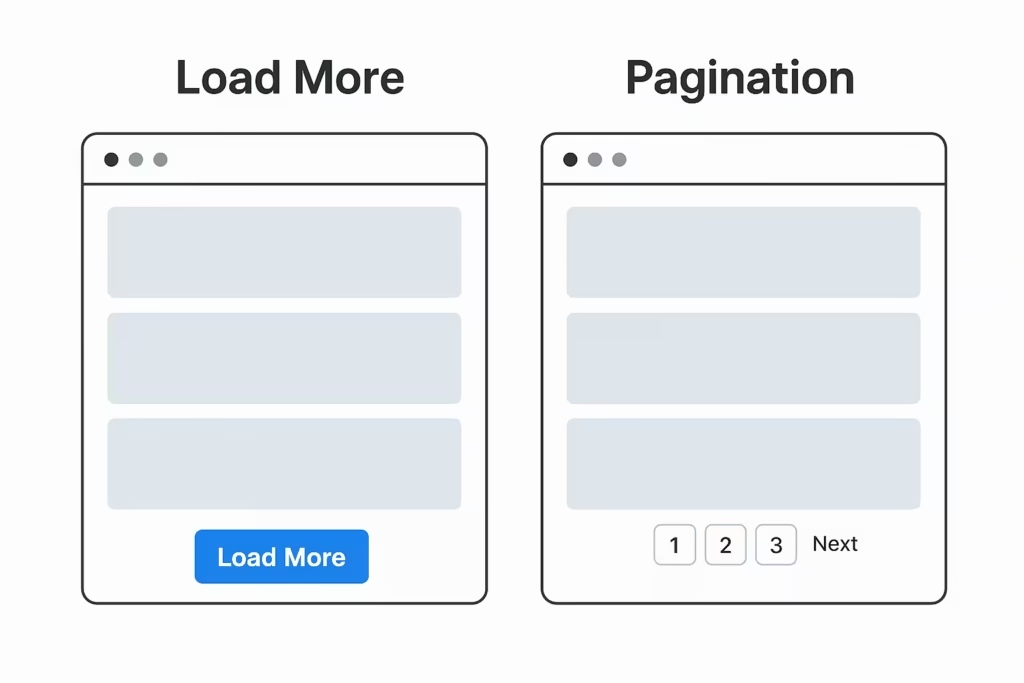
What Does Ajax Load More Posts Mean?
The Ajax load more means, when a user clicks the ‘Load More’ button then only the next set of contents is loaded from the bottom and not the entire page.
This way, there is no reload, no flicker. We find just smooth and seamless content loading.
This method:
- Improves time on page
- Reduces server load
- Makes your site feel modern (like Instagram/Twitter feed)
- Increases pageviews (good for ads)
Why Not Use a Plugin?
There are plugins like “Load More Anything,” but most plugins create some issues. They are like –
- Add unnecessary scripts
- Slow down time to Interactive
- Have compatibility issues with the theme
- Add shortcodes that break later
Creating the Ajax Load More Posts WordPress with your own code means –
- Cleaner markup
- Fully customizable design
- No plugin overhead
You may also need this: How to Block AI Bots In WordPress Without Plugin
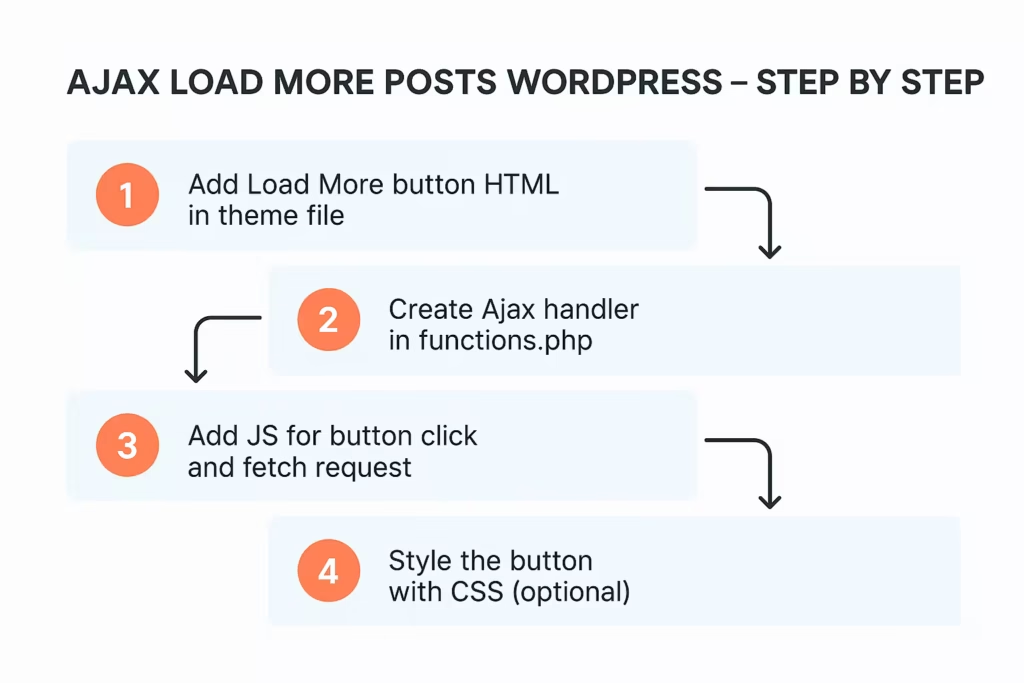
Step 1 — Add Load More Button HTML in theme file
Edit:
home.php, archive.php, or wherever your loop exists.
Add after your post loop:
<div id="ajax-posts"></div>
<button id="loadmore" data-page="1" style="margin:20px auto;display:block;padding:10px 20px;">Load More</button>
Make sure your loop looks like this:
<?php
$paged = get_query_var('paged') ? get_query_var('paged') : 1;
$args = array('post_type' => 'post', 'posts_per_page' => 4, 'paged' => $paged);
$query = new WP_Query($args);
if($query->have_posts()):
    while($query->have_posts()): $query->the_post(); ?>
        <div class="single-post-item">
            <h2><?php the_title(); ?></h2>
        </div>
<?php endwhile; endif; wp_reset_postdata(); ?>
Step 2 — Create Ajax Handler (functions.php)
Add this code to functions.php.
function wplp_ajax_load_more_posts() {
    $paged = $_POST['page'] + 1;

    $args = array(
        'post_type' => 'post',
        'posts_per_page' => 4,
        'paged' => $paged
    );

    $query = new WP_Query($args);

    if ($query->have_posts()):
        while ($query->have_posts()): $query->the_post(); ?>

        <div class="single-post-item">
            <h2><?php the_title(); ?></h2>
            <?php the_excerpt(); ?>
        </div>

    <?php endwhile;
    endif;
    wp_die();
}

add_action('wp_ajax_load_more_posts', 'wplp_ajax_load_more_posts');
add_action('wp_ajax_nopriv_load_more_posts', 'wplp_ajax_load_more_posts');
What this does:
- Receives the requested page number
- Loads the next posts
- Sends back HTML only (no layout duplication)
This is the heart of Ajax load more posts WordPress logic.
Step 3 — The JavaScript Fetch Request (Load More Button Script)
Paste this right before </body> in footer.php or enqueue it properly:
<script>
document.getElementById("loadmore").addEventListener("click", function () {
    let btn = this;
    let page = parseInt(btn.getAttribute("data-page"));

    let formData = new FormData();
    formData.append('action', 'load_more_posts');
    formData.append('page', page);

    fetch('<?php echo admin_url("admin-ajax.php"); ?>', {
        method: 'POST',
        body: formData
    })
    .then(res => res.text())
    .then(data => {
        if (data.trim() !== "") {
            document.getElementById("ajax-posts").innerHTML += data;
            btn.setAttribute("data-page", page + 1);
        } else {
            btn.innerText = "No More Posts";
            btn.disabled = true;
        }
    });
});
</script>
This script performs three actions:
- Sends page number to PHP
- Appends more posts below
- Disables button when no more posts
Step 4 — Style the Button (Optional)
#loadmore {
    background: #276ef1;
    color:#fff;
    border:none;
    border-radius:5px;
    cursor:pointer;
}
#loadmore:hover {
    background:#1b4bbf;
}
Does This Affect SEO?
Google scrolls through Ajax content surprisingly well now.
However, there are certain issues we face while scrolling. We share them here.
1 – The content added after click is still considered secondary
2 – For ad placement and engagement, Ajax load more posts WordPress is ideal
3 – You still keep traditional pagination active in the backend (SEO safe)
Tip: Do not replace pagination entirely. Hide pagination on front-end with CSS but keep the markup:
.pagination {display:none;}
How to Make It Infinite Scroll Later?
Simple — instead of button click, trigger JS when user reaches bottom:
window.onscroll = function() {
  if(window.innerHeight + window.scrollY >= document.body.scrollHeight - 200){
    document.getElementById("loadmore").click();
  }
};
You now have infinite scroll using ajax load more posts WordPress with minimal code.
Common Errors & Fixes
| Issue | Fix |
|---|---|
| Blank response | Check action names |
| Loads same posts repeatedly | Ensure paged is incrementing |
| Works for admin but not visitors | Add nopriv action |
| Load more appears above posts | Move button below loop |
Testing Notes
Tested on: WordPress 6.6+, Astra Pro, PHP 7.4 / 8.0 / 8.2
Verified on: Google PageSpeed, Cloudflare CDN, Mobile & desktop browsers
After adding the code –
- Clear any caching plugin + Cloudflare cache.
- Open your site in an incognito window and browse.
- Check your hosting resource usage after a few hours or a day.
Conclusion
Very often it happens that all those things we purchase to improve the site performance overload WordPress.
Speed Plugins, user interface automation tools, page builders, etc,. hurt the SEO score of the website.
In modern times, prefer to go with performance-focused websites, especially blogs targeting SEO traffic, manual Ajax load more posts WordPress method is lightweight, future-proof, and fully customizable.
These small tweaks improves the site overall by bettering UX, faster performance, no plugin dependency, and cleaner control over HTML.
Kindly share your experience, suggestion and queries in the comment section.
Thank You.