
Showing Matched Posts in the WordPress Sidebar is a good method to grow the website. It is a simple and effective way to boost engagement, improve internal linking, and increase pageviews.
But to boost the website, users install heavy ‘related post’ plugins that load CSS, JavaScript, and database queries on every page. It hurts the speed of the website and its loading pages. The Google pageSpeed score goes down significantly.
Table of Contents
We will give here the best idea to create a lightweight “Smart Matched Posts” sidebar widget in WordPress without using any plugins. The matching algorithm works is based on these things
- Important words in the post title
- Tags
- Categories
The presence of these matching algorithms ensures your sidebar always showcases the exact and most relevant pasts.
It doesn’t matter which niche or topic you are dealing with. Whether your blog is about cooking, gaming, travel, fitness, lifestyle, or any other type of blog, this method works wonderfully well for all of them.
Let’s dive in.
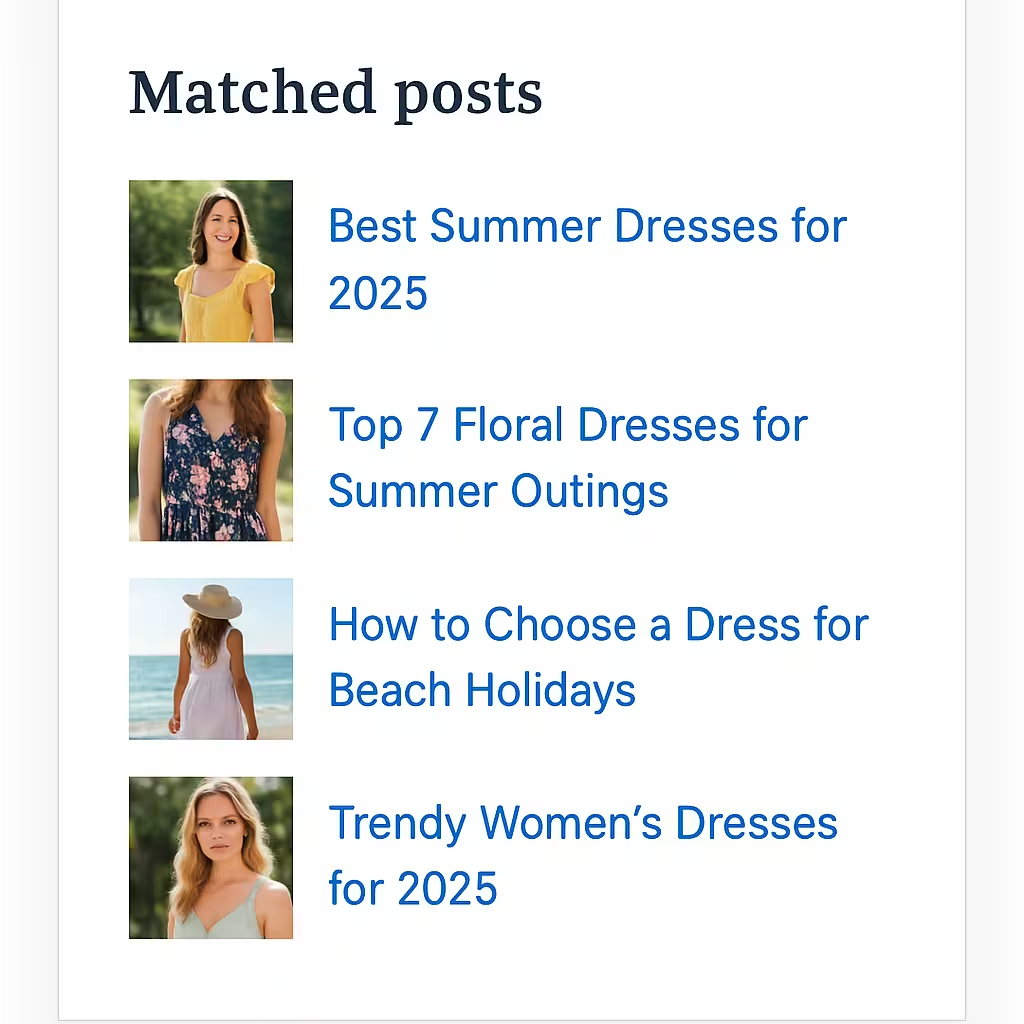
Example of Smart Matched Posts in WordPress Sidebar
Why Title-Based Matching Works
Many Matched Posts in WordPress Sidebar plugins match only by category. That’s not enough.
For example,suppose you have a fantastic fashion blog.
- Post 1: “Best Summer Collection Dresses for 2025”
- Post 2: “How to Wash Delicate Fabrics Without Damage”
- Post 3: “Top 10 Winter Jackets for Women”
All three belong to the Fashion category.
But are they actually related to one another? No, they are not.
It is where title matching has a big scope. It creates a big difference.
Example: Title Word Matching
If your post title is:
“Best Summer Dresses for 2025”
Meaningful title keywords may include:
- summer
- dresses
- 2025
- best
Now your sidebar will show posts that contain similar words such as:
- “Top 7 Floral Dresses for Summer Outings”
- “How to Choose a Dress for Beach Holidays”
- “Trendy Women’s Dresses for 2025”
It is far more related, relevant, and expanded than matching only by category.
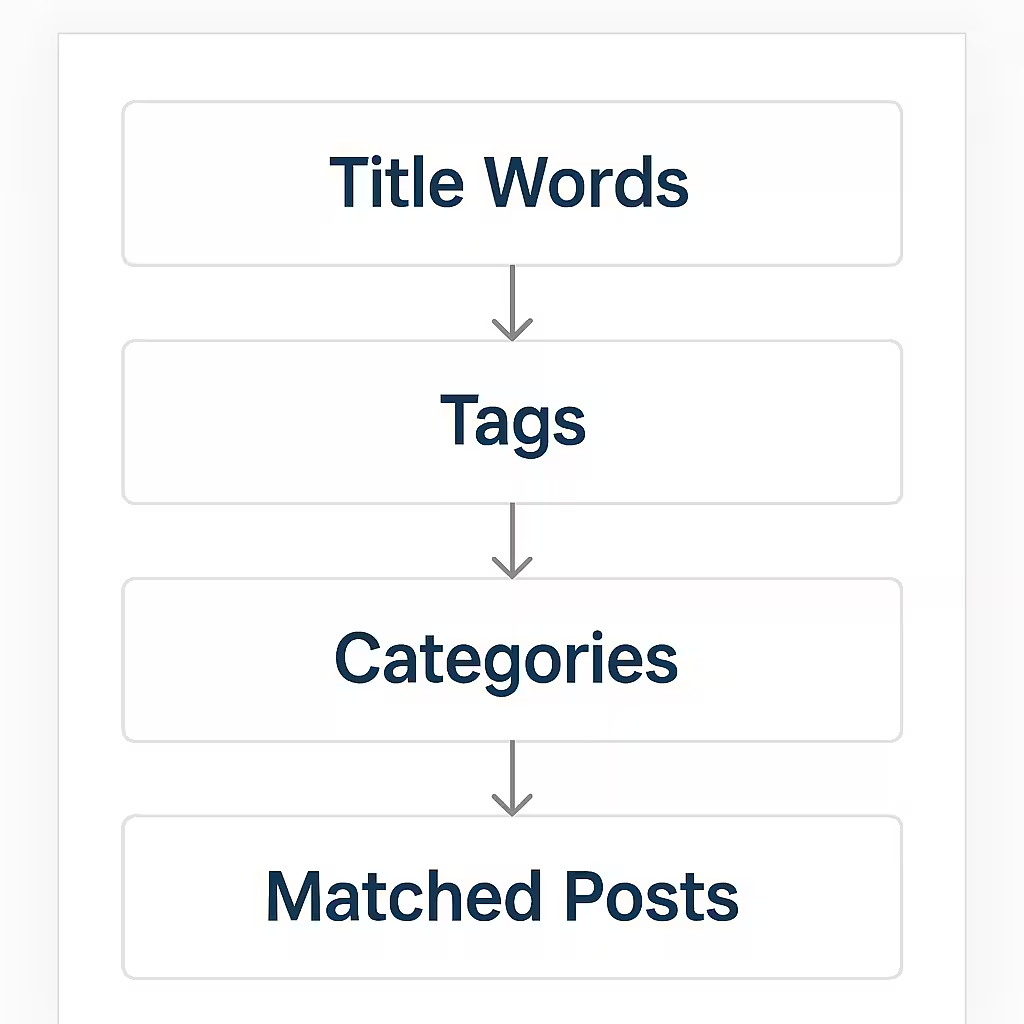
Matching Logic Flowchart
How the Matching Logic Works Matched Posts in WordPress Sidebar
The smart matching system uses three levels:
Title Word Matching (Strongest Signal)
We take important words from the article title and then we search for posts that contain similar words.
If your title is:
- “10 Best Hoodies for Teenagers”
We match posts about:
- hoodies
- teenagers
- winter wear
- sweatshirts
This leads to highly accurate matched posts.
Tags Matching (Medium Signal)
If two posts share tags like:
- “Hoodie”
- “Winter Fashion”
- “Teen Style”
They are most likely related.
This adds another layer of accuracy.
Category Matching (Fallback Signal)
If title-match and tag-match do not find enough posts, the system fills the remaining slots with posts from the same category like:
- Fashion
- Style Tips
- Shopping Guides
This ensures your sidebar always has a full list of matched posts.
Add the Smart Matched Posts in WordPress Sidebar Code (Copy & Paste)
We’ll use the shortcode:
[wop_matched_posts count="10"]
Fuction.php code
if ( ! function_exists( ‘wop_get_matched_posts_html’ ) ) {
function wop_get_matched_posts_html( $count = 5 ) {

    if ( ! is_single() ) {
        return '';
    }

    global $post;
    $current_id = $post->ID;

    /* -----------------------------------
     * 1️⃣ Extract title keywords
     * ----------------------------------*/
    $title = strtolower( $post->post_title );

    // Remove punctuation
    $title_clean = preg_replace( '/[^a-z0-9\s]/i', ' ', $title );

    // Convert to array of words
    $words = array_filter( explode( ' ', $title_clean ) );

    // Remove very short & useless words
    $stopwords = array( 'the','is','in','on','at','to','a','for','of','and','with','your','my','you','how' );
    $title_words = array_diff( $words, $stopwords );

    /* -----------------------------------
     * 2️⃣ Get tags & categories
     * ----------------------------------*/
    $tag_ids = wp_get_post_terms( $current_id, 'post_tag', array( 'fields' => 'ids' ) );
    $cat_ids = wp_get_post_categories( $current_id );

    $matched_posts = array();
    $used_ids      = array( $current_id );
    $remaining     = (int) $count;

    /* -----------------------------------
     * STEP 1 → MATCH BY TITLE WORDS
     * ----------------------------------*/
    if ( ! empty( $title_words ) && $remaining > 0 ) {

        $search_string = implode( ' ', $title_words );

        $title_args = array(
            'post_type'      => 'post',
            'posts_per_page' => $remaining * 2,
            'post__not_in'   => $used_ids,
            's'              => $search_string,
            'orderby'        => 'date',
            'order'          => 'DESC'
        );

        $title_posts = get_posts( $title_args );

        if ( $title_posts ) {
            foreach ( $title_posts as $tp ) {
                if ( ! in_array( $tp->ID, $used_ids, true ) ) {
                    $matched_posts[] = $tp;
                    $used_ids[]      = $tp->ID;
                    $remaining--;

                    if ( $remaining <= 0 ) {
                        break;
                    }
                }
            }
        }
    }

    /* -----------------------------------
     * STEP 2 → MATCH BY TAGS
     * ----------------------------------*/
    if ( ! empty( $tag_ids ) && $remaining > 0 ) {

        $tag_args = array(
            'post_type'      => 'post',
            'posts_per_page' => $remaining,
            'post__not_in'   => $used_ids,
            'tag__in'        => $tag_ids,
            'orderby'        => 'date',
            'order'          => 'DESC'
        );

        $tag_posts = get_posts( $tag_args );

        if ( $tag_posts ) {
            foreach ( $tag_posts as $tp ) {
                if ( ! in_array( $tp->ID, $used_ids, true ) ) {
                    $matched_posts[] = $tp;
                    $used_ids[]      = $tp->ID;
                    $remaining--;

                    if ( $remaining <= 0 ) break;
                }
            }
        }
    }

    /* -----------------------------------
     * STEP 3 → MATCH BY CATEGORIES
     * ----------------------------------*/
    if ( ! empty( $cat_ids ) && $remaining > 0 ) {

        $cat_args = array(
            'post_type'      => 'post',
            'posts_per_page' => $remaining,
            'post__not_in'   => $used_ids,
            'category__in'   => $cat_ids,
            'orderby'        => 'date',
            'order'          => 'DESC'
        );

        $cat_posts = get_posts( $cat_args );

        if ( $cat_posts ) {
            foreach ( $cat_posts as $cp ) {
                if ( ! in_array( $cp->ID, $used_ids, true ) ) {
                    $matched_posts[] = $cp;
                    $used_ids[]      = $cp->ID;
                    $remaining--;

                    if ( $remaining <= 0 ) break;
                }
            }
        }
    }

    if ( empty( $matched_posts ) ) {
        return '';
    }

    /* -----------------------------------
     * HTML Output
     * ----------------------------------*/
    ob_start();
    ?>
    <div class="wop-matched-list">
        <div class="wop-matched-label">Matched posts</div>

        <?php foreach ( $matched_posts as $rpost ) :

    // Always use post title for display
    $display = get_the_title( $rpost->ID );

    $thumb = get_the_post_thumbnail_url( $rpost->ID, 'thumbnail' );
?>
    <a class="wop-matched-item" href="<?php echo esc_url( get_permalink( $rpost->ID ) ); ?>">
        <?php if ( $thumb ) : ?>
            <div class="wop-matched-thumb">
                <img src="<?php echo esc_url( $thumb ); ?>" alt="<?php echo esc_attr( $display ); ?>">
            </div>
        <?php endif; ?>

        <div class="wop-matched-text">
            <div class="wop-matched-title">
                <?php echo esc_html( wp_trim_words( $display, 12 ) ); ?>
            </div>
        </div>
    </a>
<?php endforeach; ?>

    </div>
    <?php
    return ob_get_clean();
}
/* Shortcode: [wop_matched_posts count="5"] */
function wop_matched_posts_shortcode( $atts ) {
$atts = shortcode_atts( array(
'count' => 5,
), $atts, 'wop_matched_posts' );

return wop_get_matched_posts_html( intval( $atts['count'] ) );

}
add_shortcode( 'wop_matched_posts', 'wop_matched_posts_shortcode' );
Where to Paste Code in functions.php
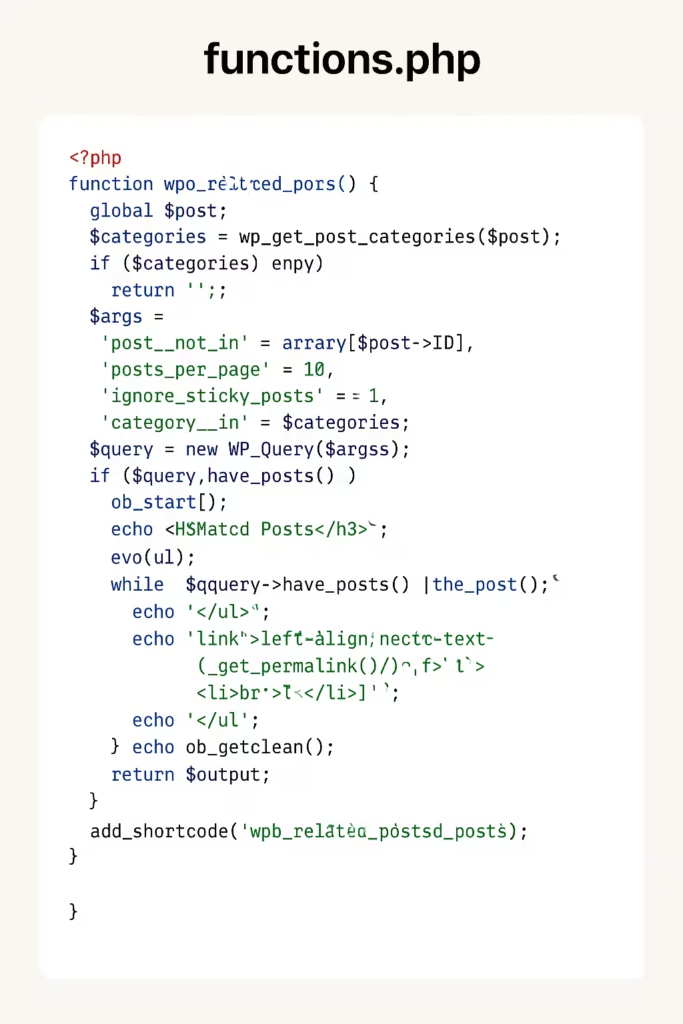
How to Display Matched Posts in WordPress Sidebar
Once the code is added:
- Go to Appearance → Widgets
- Add a Shortcode widget
- Paste:
[wop_matched_posts count="10"]
- Save.
Your sidebar will now automatically display:
- Thumbnail on left
- Title on the right
- Matches based on title keywords, tags, and categories
- Perfect for fashion blogs, lifestyle blogs, tech blogs, travel blogs, etc.
Styling the Titles (Bigger Font + Theme Link Color)
Add this to:
Appearance → Customize → Additional CSS
.wop-matched-title {
    font-size: 15px;
    font-weight: 600;
    color: inherit;
    line-height: 1.35;
}

.wop-matched-item {
    color: var(--wp--preset--color--primary, inherit);
}

.wop-matched-item:hover .wop-matched-title {
    color: var(--wp--preset--color--primary, #0073aa);
}
This makes:
✔ Titles larger
✔ Colors match your theme
✔ Text clean and readable
Benefits of This No-Plugin Method
1. No Extra JavaScript
Loads instantly on every page.
2. Lightweight PHP Only
Zero performance hit, almost no SQL load.
3. SEO-Friendly
Improves internal linking and user engagement.
4. Fully Customizable
You can change:
- Layout
- Number of posts
- Matching priority
- Thumbnail size
- Title styling
5. Works With Any WordPress Theme
Astra, GeneratePress, Kadence, Block Themes — all supported.
6. No Plugin Bloat
No extra CSS, JS, or advertisement inside dashboards.
Extra Customization Ideas
If you want to enhance this feature further, here are some ideas:
Highlight matching title words
Visually shows why the post is recommended.
Add reading time
Useful for blogs with long content.
Add post date
Helpful for fashion and trend-based content.
Create separate desktop and mobile layouts
Better for UX.
Add a small “More like this” link
Boosts internal linking further.
If you want any of these features, just tell me.
Conclusion
This post guides bloggers on using the Matched posts in the WordPress sidebar without plugins. It is done by using custom code snippets. Its use makes the site faster and lighter, and doesn’t sacrifice any performance features.
You can achieve all of this without installing a single plugin, keeping your website fast, clean, and optimized.
Kindly share queries and suggestions through comments.
Thank You.